By Owen Palmer
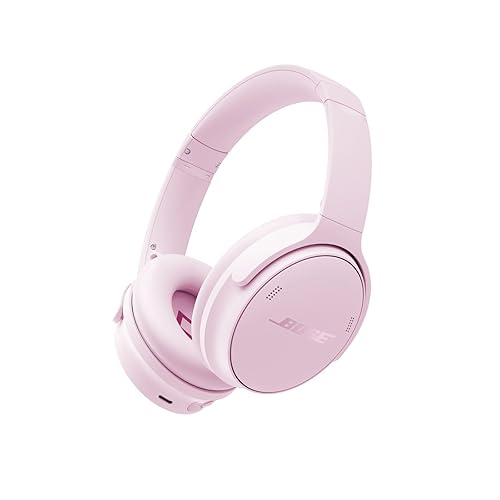
If you are looking for headphones Bose Black Friday sales, the most useful thing you can do is decide which Bose model you actually want before the shopping rush starts. This guide walks you through identifying the right model and generation, checking whether a discount is real, understanding return and warranty terms, and spotting the common traps that catch shoppers during holiday sales. You will finish with a short checklist you can use when the deals go live.
Why Black Friday Is a Good Time to Shop for Bose Headphones
Bose has historically offered some of its noise cancelling and wireless headphones at reduced prices during the late-November holiday period, and many major retailers run their own competing promotions. Because Bose sells several overlapping lines, a sale on one model does not always mean a sale on the model you want. Retailers also tend to clear older stock when a newer generation launches, which can make last year’s model a sensible choice. Treat every holiday offer as a comparison exercise rather than an automatic bargain.
Shopping for one? See our guide: Beats by Dre Headphones vs Bose: Which Should You Choose? (2026).
Step 1: Identify the Bose Model Type You Need
Bose’s current headphone range generally falls into a few categories, and knowing which category fits your use will narrow your search quickly. Over-ear models tend to offer the strongest noise cancelling and the most comfortable long-session fit. On-ear and in-ear models are lighter and more portable. Sport-oriented models focus on secure fit and sweat resistance. If you are unsure which format suits you, our overview of Types of Headphones Explained covers the main differences, and Over-Ear vs On-Ear Headphones compares the two most common full-size styles.
Before you open a single deal page, write down three things:
- Where you will use them most (commuting, flights, home office, gym)
- Whether you need active noise cancelling, or just passive isolation
- Whether you want wired backup, Bluetooth only, or both
For background on the noise cancelling feature itself, see our Noise-Canceling Headphones Buying Guide.
Step 2: Understand Bose Model Generations
Bose releases updated versions of its popular headphones on a rolling basis, and the generation number often matters more than the product name. A newer generation may add features such as improved microphones, updated Bluetooth versions, or revised ear cushions. An older generation may still perform well and sell at a lower price. When you see a Black Friday listing, check the model number printed on the product page or the box, and compare it against the manufacturer’s current specifications.
| What to Compare | Newer Generation | Previous Generation |
|---|---|---|
| Bluetooth version | Usually the latest standard | Often one version behind |
| Noise cancelling | Typically refined algorithms | Still strong, may be less adaptive |
| Ear cushions and fit | May be updated materials | Established, widely reviewed fit |
| Warranty and support | Full manufacturer coverage | Full coverage if sold new, verify seller |
| Availability | Limited discounts early on | Deeper holiday clearance is common |
Owners often report that the difference between generations is most noticeable in call quality and app features rather than core sound. If you mainly listen to music, a previous generation may be a perfectly reasonable choice.
Step 3: Verify That a Bose Discount Is Real
Check the Listing History
Holiday listings can display a crossed-out “original” price that was never the actual selling price for most of the year. Look at whether the item sold at the lower price for weeks before November. Browser extensions and price history tools can help, though you should confirm their data independently.
Confirm the Seller and Condition
Buy from Bose directly or from a major retailer where the product is sold and shipped by that retailer. Be cautious of third-party sellers offering unusually steep reductions, especially on newly released models. Check whether the item is new, open-box, refurbished, or renewed, because these conditions are often mixed in the same search results.
Check the Warranty
Manufacturers generally specify a warranty period for Bose products, and coverage can depend on where and how you bought them. Keep your receipt and confirm the warranty terms on the manufacturer’s site before purchase.
Step 4: Compare Return Policies Before You Buy
Holiday return windows are sometimes shorter or different from standard periods, and some retailers exclude clearance items from returns entirely. Read the policy on the day you buy. Test the headphones as soon as they arrive: pair them, check the fit with your glasses or hair, run a short call, and confirm that the noise cancelling behaves the way you expect in your environment.
Step 5: Plan Your Pairing and Setup
Once the headphones arrive, complete firmware updates through the manufacturer’s app before you rely on them for travel or work. If the pairing process fails, our guide on How to Fix Bluetooth Headphones That Won’t Pair covers the most common causes. If you plan to use them on flights, Wireless Headphones for Travel explains what to check.
Checklist Before You Buy
- Pick your category: over-ear, on-ear, in-ear, or sport.
- Decide whether active noise cancelling is essential.
- Note the exact model number and generation you are comparing.
- Check the price history of the listing.
- Confirm the seller, the condition (new, open-box, renewed), and the warranty.
- Read the return window and any clearance exclusions.
- Save your receipt and order confirmation.
- Plan a same-day test after delivery.
Common Mistakes
- Buying a model name without checking the generation. Similar names can refer to different versions.
- Trusting the crossed-out price. Compare against the listing’s price over the previous few weeks.
- Ignoring open-box and renewed labels. These can carry different warranty terms.
- Skipping the fit test. Comfort problems often appear after an hour, not in the first minute.
- Assuming noise cancelling works the same everywhere. Performance depends on the environment, including airplane engines versus office hum.
Tips for a Smoother Holiday Purchase
- Set alerts for your specific model number so you are not distracted by unrelated deals.
- Compare two or three retailers before deciding, since bundles and gift cards vary.
- If you are buying as a gift, confirm the recipient’s device compatibility, such as Bluetooth support and whether they use a phone or computer.
- Keep the original packaging until you have finished your return window.
Recommended gear
A protective case helps preserve the headband and cushions during travel. See How to Select a Protective Headphone Case for what to look for. Replacement ear cushions can extend the life of older models, as explained in How to Replace Your Headphone Ear Pads.
- View on Amazon — A hard case protects the folded headphones and cable during commutes and flights.
- View on Amazon — Fresh cushions can restore comfort and passive isolation on an older pair.
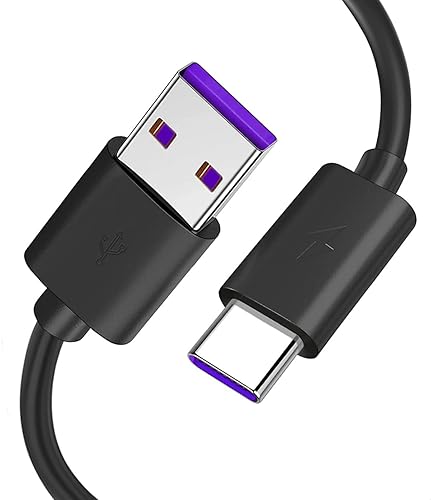
- View on Amazon — A spare charging cable is useful if you want to keep a backup at home or at work.
FAQ
Does Bose offer a Black Friday sale every year?
Bose and its retail partners have commonly run holiday promotions, but the timing, models, and depth of discounts vary from year to year. There is no guaranteed schedule, so check the official Bose site and major retailers in late November.
How do I know if a Bose model is the latest generation?
Check the model number on the product page or box and compare it with the manufacturer’s current product listings. Official specifications will show the Bluetooth version and feature set for each generation.
Are refurbished Bose headphones safe to buy?
Refurbished or renewed units can be a sensible choice if they come from a reputable seller with a clear warranty. Confirm the condition grade and the return terms before purchase.
Should I choose over-ear or in-ear Bose headphones?
Over-ear models usually offer stronger isolation and comfort for long sessions, while in-ear models are smaller and easier to carry. Your daily routine should decide the choice.
What should I do if my new Bose headphones won’t pair?
Start by clearing old pairings on your device, restarting both devices, and checking for firmware updates. Our guide on pairing problems walks through each step.
Can I return headphones bought on Black Friday?
Return policies vary by retailer, and some clearance items have restrictions. Read the policy before you buy and keep your packaging and receipt.
Is noise cancelling worth paying more for?
For commuting, flights, and open offices, active noise cancelling can make a noticeable difference. For quiet home listening, passive isolation may be enough. Consider your environment before deciding.
Conclusion
Finding a worthwhile headphones Bose Black Friday deal comes down to preparation: choose your category, confirm the exact model and generation, and verify that the discount is genuine. Check the seller, condition, warranty, and return window before you order. With those steps done, you can compare offers quickly and avoid the most common holiday pitfalls.
Related reading
- Bose Noise Cancelling Headphones 700 Refurbished: What to Check Before You Buy
- Bose Noise Cancelling Headphones 700 Cushion Kit: A Practical Guide (2026)
- Accessories for Bose Headphones: 7 Useful Add-Ons and How to Choose Them
- 5 Best Pads for Bose Headphones Compared (2026)
- 5 Best Bose Headphones with Case for Travel and Daily Use (2026)
Ready to choose one?
About Owen Palmer
Owen Palmer is part of our editorial team and reviews and edits our brand headphones & noise cancelling guides, checking product details against manufacturer specifications and owner feedback.