By Owen Palmer
Updated November 2026
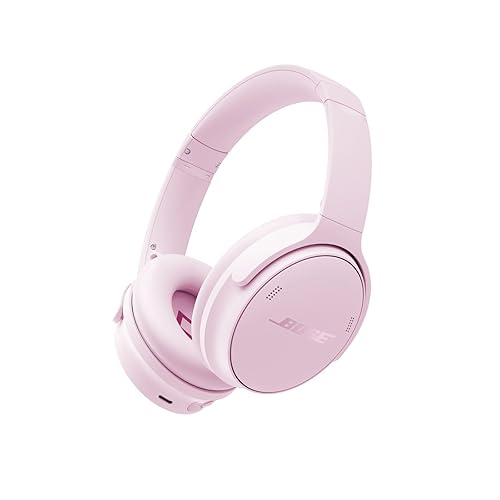
A bose headphones bluetooth adaptor lets you use wired Bose headphones with a phone, tablet or laptop that has no headphone jack, or with a device that only sends audio over Bluetooth. In this guide you will learn what these adaptors do, how to choose the right type for your headphones, how to set one up step by step, and how to troubleshoot the most common problems so you can get clean audio without replacing your headset.
What a Bose Bluetooth Adaptor Actually Does
Most older Bose headphones, including many over-ear and on-ear models, use a 3.5 mm audio cable and have no built-in wireless radio. A Bluetooth adaptor sits between your source device and the headphones. It receives a Bluetooth audio signal from a phone or laptop, converts it, and sends it out through a standard headphone plug. Some adaptors work as transmitters that plug into a device’s audio output, while others act as receivers that plug into the headphone jack. Knowing which direction your setup needs is the first step.
Shopping for one? See our guide: Beats by Dre Headphones vs Bose: Which Should You Choose? (2026).
The adaptor does not add noise cancelling to headphones that lack it, and it does not change the sound signature of the headphones themselves. What it changes is how audio reaches them. Battery life, latency and codec support depend on the adaptor, not on Bose.
Choose the Right Type of Adaptor
Before buying or connecting anything, confirm what your headphones and your source device need. The wrong adaptor type is the most common reason people give up on this setup.
Check Your Headphone Plug and Cable
- Look at the headphone jack. Most Bose wired headsets use a 3.5 mm plug.
- Some Bose models use a 2.5 mm connector on the earcup side. Check the cable end and the earcup jack before you buy an adaptor.
- Confirm whether your headphones have an in-line microphone and controls. Those buttons may not work through every adaptor.
Decide Between Transmitter and Receiver
A transmitter plugs into the audio output of a TV, airplane seatback, computer or stereo system and sends Bluetooth to your headphones. A receiver sits in the middle of a wired connection and feeds Bluetooth audio into the headphones’ 3.5 mm input. If you want to use wired Bose headphones with a phone that has no jack, you need a receiver. If you want to connect wired headphones to a TV, you need a transmitter. For a deeper look at transmitter setup, see Bluetooth Transmitter for Bose Headphones: Step-by-Step Setup Guide.
Step-by-Step Setup for a Receiver-Style Adaptor
- Charge the adaptor fully before first use. Most small units take one to two hours on a USB cable.
- Turn the adaptor on and enter pairing mode. Many units show this with a flashing LED.
- On your phone or laptop, open Bluetooth settings and select the adaptor’s name from the list of available devices.
- Once paired, connect the headphones’ 3.5 mm cable to the adaptor’s output jack.
- Play a test track and adjust the volume on both the source device and the adaptor, if it has its own volume control.
- Turn on the headphones if they are battery powered. Some Bose wired models need power for noise cancelling only.
Step-by-Step Setup for a Transmitter-Style Adaptor
- Plug the transmitter into the audio output of the source device, such as a TV’s optical or 3.5 mm output.
- Power the transmitter from USB or its wall adapter, and confirm the status light is on.
- Put the transmitter into pairing mode, then open your Bose headphones’ Bluetooth settings and select it.
- Set the source device’s audio output to the transmitter if it asks, then test playback.
- Check that the headphones volume is not set too low, since many transmitters send a fixed-level signal.
Tools and Supplies You May Need
| Item | Why You Need It |
|---|---|
| 3.5 mm audio cable | Connects the adaptor to the headphones or the source device |
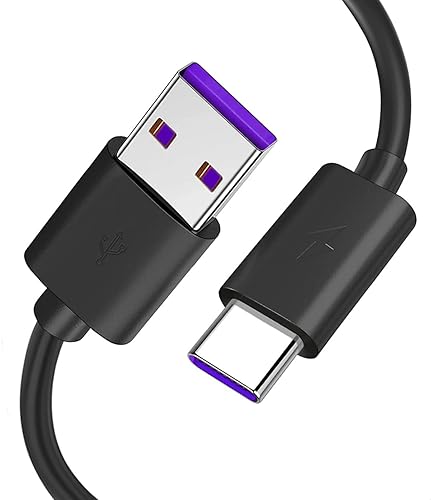
| USB charging cable | Powers most small adaptors |
| Headphone plug adaptor (2.5 mm to 3.5 mm) | Needed for some older Bose earcup connectors |
| Fully charged headphones | Required for noise cancelling models |
Common Problems and How to Fix Them
No Sound After Pairing
First confirm the adaptor is connected to the correct jack and that the source device is set to output over Bluetooth. Then check the adaptor’s own volume and the volume on the source device. If nothing changes, unpair and repeat the pairing process. Owners often report this fixes most silent-audio cases. For more general pairing problems, see How to Fix Bluetooth Headphones That Won’t Pair.
Audio Cuts Out or Stutters
Keep the adaptor and source device within a few meters of each other, and remove obstacles such as metal cabinets or walls between them. Interference from other Bluetooth devices and Wi-Fi routers can also cause dropouts. If the problem continues, the cause may be the connection itself. A general explanation of disconnects is covered in Why Bluetooth Headphones Keep Disconnecting.
Delay Between Video and Sound
Latency is common with Bluetooth audio. Some adaptors support low-latency codecs, which reduce the lag, but support depends on both the adaptor and the source device. If lip sync matters for you, check the adaptor’s specification sheet for codec support before buying.
Microphone or Buttons Do Not Work
Many simple adaptors pass audio only and do not support the microphone or remote controls on wired headphones. If call or control features matter, you may need a receiver that specifically lists microphone support.
Common Mistakes
- Buying a transmitter when you need a receiver, or the reverse. Confirm the direction before ordering.
- Forgetting to charge the adaptor. A low battery often causes weak or dropping audio.
- Leaving the headphones on a low volume setting on the source device, then blaming the adaptor.
- Assuming noise cancelling will work through the adaptor. It depends on whether your headphones have active noise cancelling built in.
- Pairing the adaptor to the wrong device. If you have several Bluetooth gadgets nearby, check the device name before confirming.
Recommended gear
- Avantree Oasis Plus: A transmitter-style adaptor that many owners use to send TV or stereo audio to wired headphones. It is useful when the source device has an audio output but no Bluetooth. View on Amazon
- Avantree Audikast Plus: A receiver-style unit that many owners use to feed Bluetooth audio into wired headphones. It suits phones and tablets without a jack. View on Amazon
- Anker Soundcore Bluetooth 5.0 Audio Receiver: A compact receiver that connects to a 3.5 mm input and pairs with a phone over Bluetooth. Owners often mention it for its simple pairing. View on Amazon
- 3.5 mm to 2.5 mm headphone adaptor cable: Useful if your Bose earcup uses a 2.5 mm connector and your adaptor has a 3.5 mm output. View on Amazon
Tips for Better Results
- Check the codec list before you buy. Support for higher-quality codecs usually matters more than brand name.
- Keep firmware updated on the source device, since Bluetooth stability often improves with updates.
- If you use the adaptor often, keep a short cable on hand so you can switch quickly between devices.
- Write down the device name you paired with, so you can reconnect without searching each time.
FAQ
Do all Bose headphones need a Bluetooth adaptor?
No. Bose Bluetooth models already have built-in wireless. Only wired models without a radio need an adaptor.
Can I use a bose headphones bluetooth adaptor with a TV?
Yes, if you use a transmitter-style unit that plugs into the TV’s audio output. Check that the TV outputs audio through its headphone or line-out port.
Will an adaptor add noise cancelling to my headphones?
Not on its own. Noise cancelling depends on the headphones having active circuitry. An adaptor only handles the audio signal.
Why is there a delay between the picture and the sound?
Bluetooth adds latency. Low-latency codecs can reduce it, but both devices must support the same codec.
Do I need to charge the adaptor and the headphones?
The adaptor usually needs charging. Wired headphones with noise cancelling may need a battery for that feature only.
Can I use two sets of headphones with one adaptor?
Some transmitters support two simultaneous connections, while most receivers serve one pair. Check the specifications before buying.
Is it safe to listen at high volume through an adaptor?
Keep volume at a moderate level. Prolonged loud listening can damage hearing. If you have hearing concerns, consult a hearing professional.
Conclusion
A bose headphones bluetooth adaptor can extend the life of wired headphones and let them work with modern devices. Start by confirming your headphone plug and whether you need a transmitter or receiver. Then follow the setup steps, and use the troubleshooting section if audio drops or lags. With the right unit, most wired Bose headphones can work reliably over Bluetooth.
Related reading
- Bose Bluetooth Headphones Connect: A Step-by-Step Guide for Beginners
- Sony Versus Bose Noise Cancelling Headphones: Which Fits You Best (2026)
Ready to choose one?
About Owen Palmer
Owen Palmer is part of our editorial team and reviews and edits our brand headphones & noise cancelling guides, checking product details against manufacturer specifications and owner feedback.