By Owen Palmer
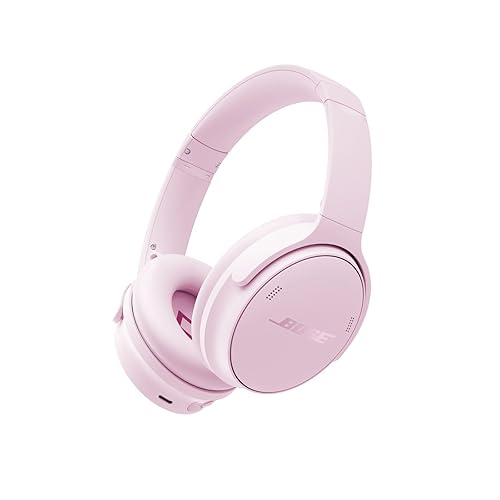
Buying bose quietcomfort headphones refurbished can save you money on a premium noise-cancelling model, but only if you know what to look for. This guide walks you through identifying the exact model and generation, checking the seller’s refurbishment terms, testing the hardware and battery, and confirming that noise cancelling and Bluetooth work the way they should. By the end, you will have a checklist you can apply to any listing before you commit.
Why Refurbished Bose QuietComfort Headphones Are Worth Considering
Bose’s QuietComfort line has covered several generations over the years, including over-ear and earbud designs. Refurbished units from manufacturer outlets, authorized resellers and reputable marketplace sellers can offer the same noise cancelling and build quality at a lower entry point. The catch is that refurbishment quality varies widely. Some units are restored to near-new condition with replaced ear cushions and a new battery, while others are simply cleaned and repackaged. Your job is to tell the difference.
Shopping for one? See our guide: Beats by Dre Headphones vs Bose: Which Should You Choose? (2026).
Owners often report that refurbished units perform well when the seller is transparent about what was replaced. The most common complaints involve worn ear cushions, reduced battery life and occasional Bluetooth pairing problems, all of which are testable before or shortly after purchase.
Step 1: Identify the Exact Model and Generation
Bose has released several QuietComfort models that look similar in photos. Before you compare listings, confirm the model name printed on the inside of the headband or the ear cup, along with the model number. Newer generations typically differ in charging port type, control layout, app support and noise cancelling performance. Match the model name in the listing to the printed label on the product, not just the marketing title.
- Check the model number on the inside of the headband or on the box.
- Compare the charging port (USB-C versus older micro-USB on earlier units).
- Confirm whether the model supports the Bose app for firmware updates and settings.
- Review the official Bose product page for the generation you are looking at, since specifications are published there.
If a listing’s title and the photos disagree with the model label, treat that as a red flag. Buyers who skip this step sometimes receive an older or different generation than they expected.
Step 2: Evaluate the Seller’s Refurbishment Terms
Refurbishment is not a standard term, so read what the seller actually promises. Look for specifics: what was replaced (ear cushions, headband pad, battery, cable), what was tested, and whether the unit includes original accessories. Vague phrases like “fully tested” without a description of the test are not much help.
Questions to Ask the Seller
- Was the battery replaced, or only tested? Ask for the reported battery health if available.
- Were the ear cushions replaced? Worn cushions are one of the most common issues on used units.
- What is the return window, and who pays return shipping?
- Does the warranty come from the seller, from Bose, or from neither? Check whether the warranty is transferable to you.
- Are all accessories included, such as the charging cable, carrying case and any original documentation?
Authorized refurbished programs generally offer clearer terms and warranty coverage than unknown third-party sellers. If the seller will not answer these questions, consider it a warning sign.
Step 3: Inspect the Physical Condition on Arrival
Once the headphones arrive, do a physical inspection before you charge them or pair them with anything. Work through the following checks in a well-lit room.
Physical Inspection Checklist
- Ear cushions: look for cracking, flattening, peeling or odor. Replaced cushions should look clean and fit flush.
- Headband: flex it gently and check the padding for compression or tears. Check the hinges and slider mechanism for smooth movement.
- Ear cups: confirm both swivel and fold properly without grinding or looseness.
- Buttons and controls: press each one and confirm it responds with a firm click or touch feedback.
- Charging port: check for debris or bent pins, and confirm the cable seats fully.
- Exterior finish: look for scratches on the headband or ear cups that suggest heavy use or drops.
Tools Helpful for the Inspection
You do not need much to inspect a set of headphones. A bright flashlight helps you see cracks in the ear cushions and debris in the charging port, and a small amount of isopropyl alcohol with a soft cloth is useful for wiping any visible residue before testing. Avoid spraying liquids directly into openings.
Step 4: Test the Battery and Charging
Battery condition is the most common issue with used headphones. Manufacturers specify expected battery life for new units, and refurbished units may fall short if the battery was not replaced. Test the battery early, within the return window.
- Charge the headphones fully using the included cable and a standard USB power source. Note whether the charging indicator behaves normally.
- Pair the headphones with a phone or laptop and play music at a moderate volume.
- Use a stopwatch or timer to record playback time from full charge to shutdown. Keep the volume and noise cancelling settings consistent across tests.
- Compare the result against the battery life stated on the official Bose specification page for that model.
A noticeably shorter runtime does not always mean a failing battery, since temperature and volume affect results. Repeat the test once more before drawing conclusions. If the gap is large, ask the seller about a battery replacement or return the unit.
Step 5: Verify Noise Cancelling Performance
Noise cancelling is the main reason many buyers choose QuietComfort models, so confirm it works properly. Start in a quiet room, then move to a noisier space such as near a fan, a street or a busy office.
- Turn noise cancelling on and listen for a clear drop in steady background sounds like air conditioning or traffic hum.
- Turn it off and compare. The difference should be noticeable.
- Listen for unusual hiss, crackling or pressure changes that persist, which can point to a damaged microphone or internal issue.
- If the model offers adjustable noise cancelling levels or a transparency mode, cycle through each setting and confirm the change is audible.
For background on how the feature works and what to expect, see Noise-Canceling Headphones Buying Guide and What is Transparency Mode on Headphones?.
Step 6: Check Bluetooth, Audio and Controls
Pairing and audio quality should be tested with the devices you actually plan to use. Test with your phone, laptop and any other source, because some issues only appear with specific devices.
- Pair the headphones and confirm they connect on the first attempt. Repeated pairing failures may point to firmware or hardware problems.
- Walk a short distance from your phone while playing audio and note any dropouts.
- Play a familiar track with a broad frequency range and listen for distortion, uneven balance or missing bass.
- Make a test call to check the microphone. Ask the other person how clearly they hear you.
- Test voice assistant activation and each control button, including volume and track skip.
If pairing is unreliable, the troubleshooting steps in How to Fix Bluetooth Headphones That Won’t Pair and Why Bluetooth Headphones Keep Disconnecting may help you determine whether the fault is in the headphones or your source device.
Step 7: Update Firmware and Register the Product
Once the headphones pass your tests, install any available firmware updates through the Bose app. Updates can improve connection stability and noise cancelling behavior. Registering the product with the manufacturer may also be required to activate any warranty coverage, so check the warranty terms and complete registration if needed.
Recommended gear
- Replacement ear cushions for Bose QuietComfort models: If the original cushions show wear, aftermarket or official replacements are a relatively simple fix that can restore comfort and seal. View on Amazon
- Protective hard case for over-ear headphones: A case protects the headband hinge and cushions during travel, which matters for a used unit. View on Amazon
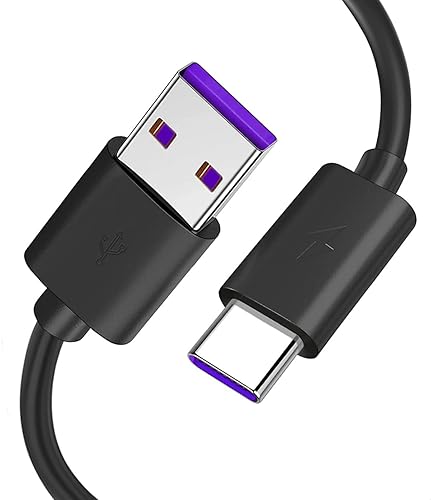
- USB-C charging cable (match your model’s port): A spare cable is useful if the included one is missing or frayed. View on Amazon
Common Mistakes to Avoid
- Buying without confirming the exact model number, which can lead to an unexpected generation.
- Assuming “refurbished” means a new battery. Ask directly.
- Skipping the return-window tests. Battery and Bluetooth faults often appear after a few charge cycles.
- Judging noise cancelling in a quiet room only. Test it in the noisy environments you actually use.
- Cleaning ear cushions with harsh solvents that can degrade the material. Use a damp cloth and mild soap instead.
Tips for a Safer Purchase
- Photograph the unit and any damage the moment it arrives, in case you need to file a return or claim.
- Keep the original packaging until you are sure the unit works.
- Note the purchase date and seller in writing, since warranty and return windows depend on it.
- Be cautious with listings that offer unusually broad or vague warranty promises.
FAQ
Do refurbished Bose QuietComfort headphones come with a warranty?
It depends on the seller. Authorized refurbished programs often include a warranty, while third-party sellers may offer their own limited coverage or none at all. Check the warranty terms and whether they transfer to you before buying.
How can I tell if a refurbished unit has a new battery?
Ask the seller directly. A reputable seller should state whether the battery was replaced. You can also test runtime against the official specification and judge the result.
Is noise cancelling on refurbished headphones as good as on new ones?
When the internal components are functioning normally, performance should be similar. Test it in both quiet and noisy settings and listen for unusual hiss or inconsistent behavior.
Can I replace worn ear cushions on QuietComfort headphones?
Yes, ear cushions are generally replaceable and are a common refresh item. Confirm the correct cushion type for your exact model before ordering.
What should I check first when the headphones arrive?
Start with a physical inspection of the cushions, headband, hinges and charging port. Then charge the unit fully and test pairing and noise cancelling before the return window closes.
Why do my refurbished headphones disconnect from my phone?
Disconnections can come from the headphones, the phone or interference. Updating firmware, forgetting and re-pairing the device, and testing with another source can help isolate the cause.
Should I consult anyone before buying?
For most purchases a careful checklist is enough. If you are buying for a business or a large order, review the seller’s written terms with the appropriate advisor before committing.
Conclusion
Buying bose quietcomfort headphones refurbished is practical when you verify the model, understand what the seller actually replaced, and test the battery, noise cancelling and Bluetooth within the return window. A short, methodical inspection will catch most problems before they become expensive. Take your time with the checklist, and you will know quickly whether a given unit is a good buy.
Ready to choose one?
About Owen Palmer
Owen Palmer is part of our editorial team and reviews and edits our brand headphones & noise cancelling guides, checking product details against manufacturer specifications and owner feedback.