By Owen Palmer
Updated November 2026
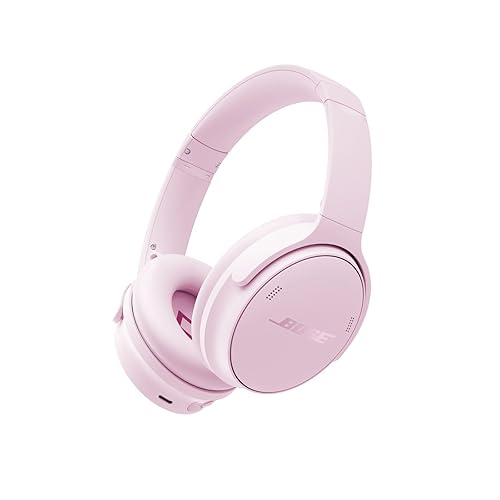
The bose quietcomfort sc noise canceling headphones are a model many people buy for commuting, flights and quiet focus time at home. In this guide you will learn how to set them up, use the noise cancelling and controls effectively, keep the ear cushions and battery in good shape, and troubleshoot the issues owners most often report. No technical background is needed.
What You Need Before You Start
Before you begin, gather a few basics. Having these ready will make the setup and troubleshooting steps much smoother.
Shopping for one? See our guide: 5 Best Bose QuietComfort Headphones Case Options for Travel (2026).
- The headphones and their original USB charging cable
- The carrying case that shipped with the headphones
- A phone or tablet with the Bose Music app installed
- A soft, dry microfiber cloth for cleaning
- Your device’s Bluetooth settings, ready to open
If you are unsure which generation or variant you have, check the model name printed inside the headband or on the box. The Bose QuietComfort SC Headphones: Model Guide, Features and Fixes (2026) article breaks down the naming differences in more detail.
Step 1: Charge the Headphones Fully
Manufacturers generally recommend a full initial charge before first use. Connect the headphones to a USB power source using the included cable and let them charge until the indicator shows a complete charge. Charging from a computer port can be slower than from a wall adapter, so expect a longer wait in that case.
Once charged, power the headphones on and off a few times. This helps the battery settle into normal operation and lets you confirm the power button responds reliably.
Step 2: Pair with Your Phone or Laptop
Pairing Steps
- Turn the headphones on and press and hold the Bluetooth button until you hear a voice prompt or see the indicator flash, signaling pairing mode.
- On your phone or laptop, open Bluetooth settings and select the headphones from the list of available devices.
- Wait for the confirmation tone or voice prompt that says the connection is complete.
- Play a short audio track to confirm sound is coming through the headphones and not the device speaker.
Connecting to a Second Device
Many owners use the headphones with both a phone and a laptop. Pair each device separately, then switch between them through the Bluetooth menu on each one. If audio does not switch automatically, disconnect the headphones from the device you are no longer using.
Step 3: Set Up the Bose Music App
The Bose Music app lets you update firmware, check battery level and adjust some settings. Download it from your phone’s app store, sign in or create an account, and follow the prompts to add your headphones. Firmware updates are worth installing when offered, since they can address connection and audio issues.
Step 4: Learn the Noise Cancelling Controls
Noise cancelling works by measuring ambient sound with microphones and producing an opposing signal to reduce it. It is strongest against steady, low-frequency sounds such as engine rumble, air conditioning and fan noise. It is less effective against sudden voices or sharp sounds.
| Setting | How to Use It | Best For |
|---|---|---|
| Maximum noise cancelling | Leave the default ANC mode on | Flights, trains, busy offices |
| Reduced noise cancelling | Adjust through the app if available | Staying aware of announcements or traffic |
| Off | Turn ANC off with the mode control | Saving battery or when audio quality matters most |
Check your model’s manual or the app for the exact control layout, since button functions can vary by generation.
Step 5: Get the Right Fit
Fit affects both comfort and how well noise cancelling performs. Place the ear cushions fully over your ears so the seal is even all the way around. Adjust the headband so the cups sit flat without pinching. A poor seal often causes owners to think the noise cancelling is weak, when the real issue is positioning.
If you wear glasses, the arms can break the seal at the temple. Try pressing the cushions gently against the sides of your head, or consider a thinner pair of frames for long sessions.
Step 6: Care for the Ear Cushions and Battery
Cleaning the Ear Cushions
Wipe the cushions with a barely damp cloth and mild soap, then dry them fully before wearing. Never submerge the headphones. Skin oil and sweat break down the cushion material over time, so regular wiping extends their life.
Battery Habits
Lithium-ion batteries last longer when kept between moderate charge levels. Avoid leaving the headphones at zero charge for long periods, and store them somewhere cool rather than in a hot car. Manufacturers typically specify an operating temperature range, so check the manual for exact figures.
Common Problems and Fixes
- Headphones will not pair: Remove the device from the Bluetooth list on your phone, then restart both the headphones and the phone before pairing again.
- Audio cuts out: Move your phone closer to the headphones and keep it out of pockets with metal objects, which can interfere with the signal.
- Weak noise cancelling: Re-seat the cushions, confirm ANC is switched on, and check for a firmware update in the app.
- Battery drains fast: Lower the volume, turn off ANC when you do not need it, and check whether an older firmware version is installed.
Common Mistakes
- Skipping the first full charge and wondering why battery life seems short.
- Leaving ANC on in quiet rooms, which can make some listeners feel pressure or mild discomfort.
- Storing the headphones with the cushions folded or crushed, which can deform them over time.
- Ignoring firmware updates that could fix connection issues.
- Using harsh cleaners on the cushions, which can cause cracking.
Tips for Better Everyday Use
- Keep the carrying case handy so the headphones are protected when not in use.
- Switch ANC off when the battery is low to extend playback time.
- Check the app periodically for updates and new settings.
- Test your fit before a long flight so you know the seal works before you need it.
Recommended gear
A few accessories can make ownership easier and help protect your investment.
- Hard carrying case: A padded case protects the cups and cushions from crushing in bags. View on Amazon
- Replacement ear cushions: Fresh cushions restore the seal and comfort once the originals wear down. View on Amazon
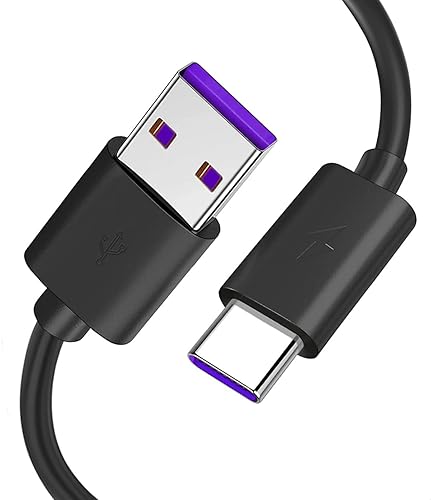
- USB-C charging cable: A spare cable keeps you charged at home, at work and while traveling. View on Amazon
- Microfiber cleaning cloth: A dry or lightly dampened cloth keeps the cups and cushions free of oil and dust. View on Amazon
FAQ
How long does the battery last on the bose quietcomfort sc noise canceling headphones?
Battery life depends on volume, ANC use and device connection. Manufacturers publish rated playback times, and real results vary with listening habits.
Can I use them wired?
Check your specific model. Some Bose headphones support a wired connection through an audio cable, while others are Bluetooth only. Confirm in the manual before buying a cable.
Why does my left or right side sound quieter?
This is often caused by a loose seal or a pairing glitch. Re-seat the cushions, then reconnect or restart the headphones.
Do I need the app to use noise cancelling?
No. The app adds updates and extra settings, but basic noise cancelling works without it.
Can I replace the ear cushions myself?
Yes, many owners do. Follow the manufacturer’s instructions and make sure the new cushions are the correct model for your headphones. The Replacement Earpads for Bose Headphones: A Step-by-Step Guide (2026) article covers the process.
Is noise cancelling safe for long use?
Many people wear noise-cancelling headphones for hours without issue, but turning the volume down is wise. If you experience headaches, ear pain or discomfort, stop use and consult a doctor or audiologist.
How do I know whether to buy a different model?
Compare features, fit and intended use before deciding. The Bose QuietComfort Headphones vs Ultra: Which One Fits Your Needs? article can help you weigh your options.
Conclusion
With a full charge, a solid Bluetooth pairing and a snug fit, the bose quietcomfort sc noise canceling headphones should deliver reliable noise reduction and comfortable listening. Keep the cushions clean, install firmware updates and use the carrying case when traveling. If problems persist after the steps above, contact Bose support for further help.
Related reading
- Bose QuietComfort QC25 Noise Cancelling Headphones: Model Guide, Fixes and Tips
- Sony Versus Bose Noise Cancelling Headphones: Which Fits You Best (2026)
- Bose Quietcomfort Headphones vs Sony Wh-1000xm5 (2026): Which Should You Choose?
Ready to choose one?
About Owen Palmer
Owen Palmer is part of our editorial team and reviews and edits our brand headphones & noise cancelling guides, checking product details against manufacturer specifications and owner feedback.